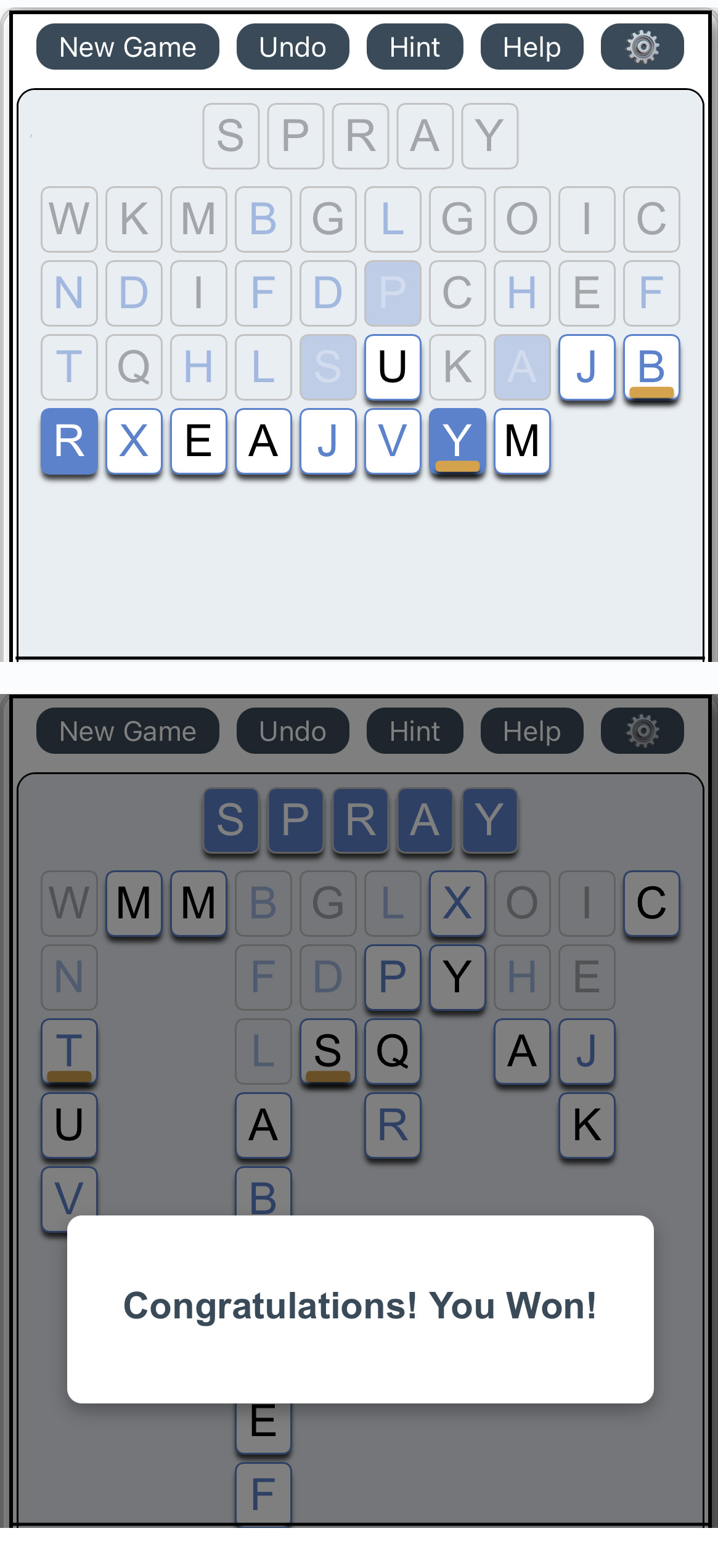
FreeAWord is the free game that provides a unique twist to word-like games. It’s free to play, no login required. Try it out now at https://freeapath.com.
Warning
This is a message
This is a message
TIP
Warning
This is a message
This is a message
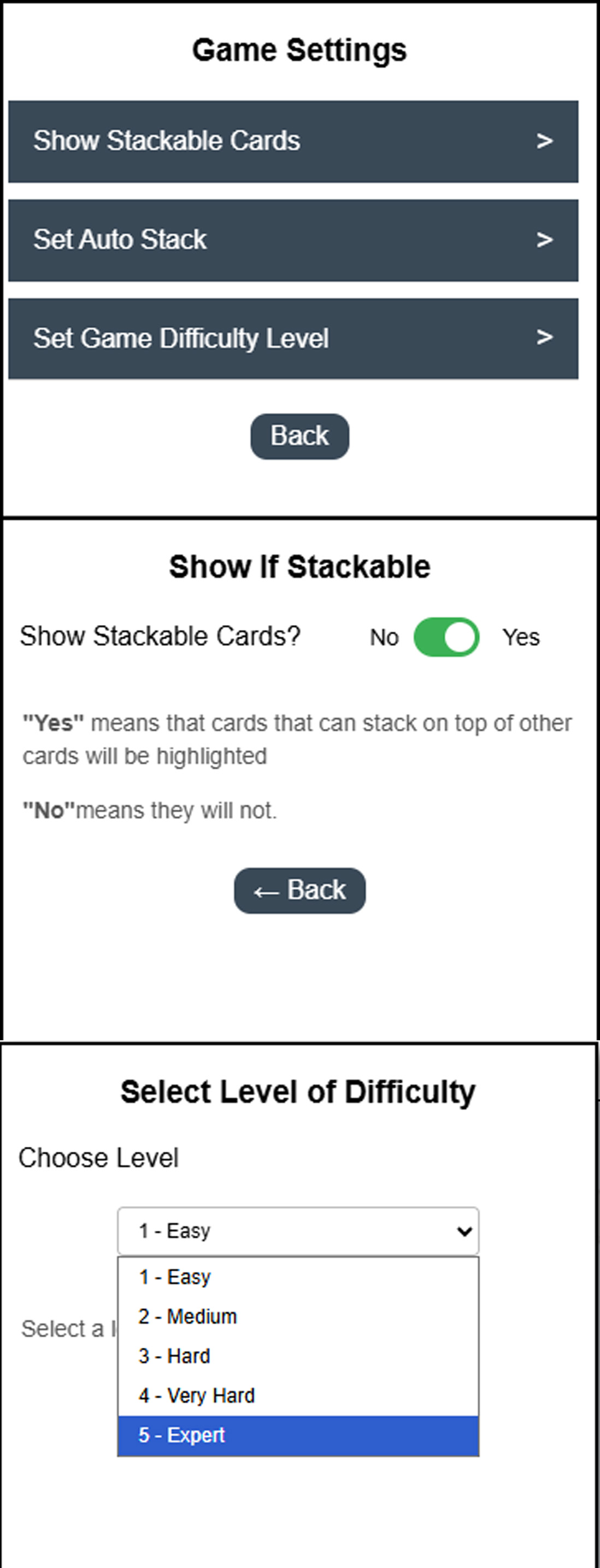
Game Settings
Show If Stackable
Show Stackable Cards?
NoYes
"Yes" means that cards that can stack on top of other cards will be highlighted.
"No" means they will not.
Automatically Stack Cards
Automatically Stack Cards?
NoYes
"Yes" means that cards will automatically stack, saving you the effort.
"No" means they will not.
Select Level of Difficulty
Choose Level
Select a level from the list.
HOW TO PLAY
Free-A-Word is a twist on classic solitaire-style card games. Here’s a quick overview::
Getting Started: Your first game is pre-selected and ready to play, with the difficulty level set to Medium.
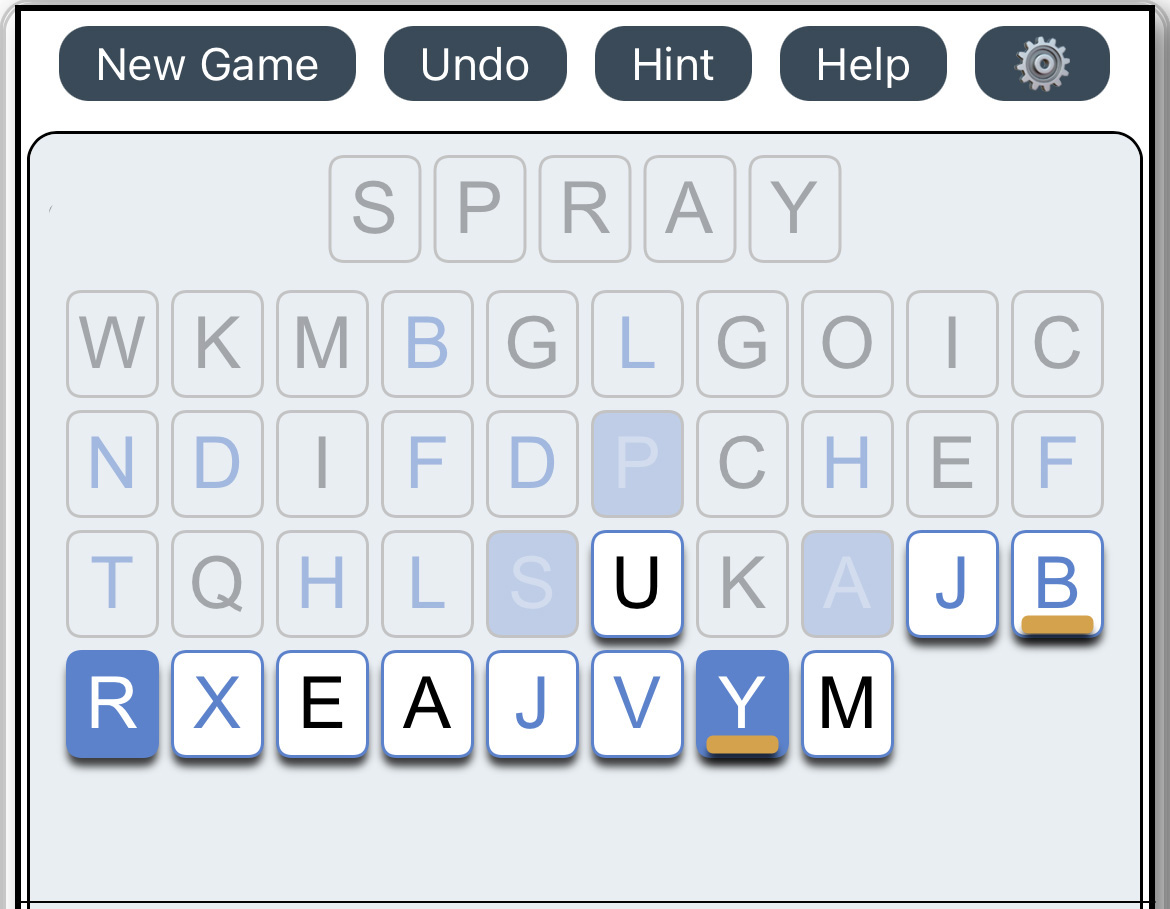
Tap any card marked with an orange underline to begin rearranging the letters. Otherwise start by tapping on any white card
How to Win: Each puzzle has an answer word containing 3 to 7 letters. These letters appear on blue cards scattered throughout the puzzle. You win when all blue cards have been "freed" and moved up to the answer at the top of the screen.
UNDERSTANDING CARD COLORS
The explanation of the card colors is as follows:
Blue: Answer card.
White: Movable card. It can be placed in an empty column or stacked onto another card if the letters follow alphabetical order (e.g., B can be placed on A, but A cannot be placed on B).
Orange Orange is used on cards in two ways. If a card has an orange underline, then it means that the card can be placed on another card. Empty columns have an orange outline.
Gray: Locked card. It cannot be moved until the cards beneath it are cleared.
GAME SETTINGS
Customize your gameplay with these settings:
Show Stackable Cards: (On by default) Highlights valid stacking moves with an orange underline. Turn this off for an extra challenge.
Auto Stack: (Off by default) Automatically stacks cards when possible to speed up gameplay.
Game Difficulty: Choose a difficulty level from Easy to Expert.
TIPS and TRICKS
Here are some suggestions that will help you win a game:
These tips will help you solve puzzles more efficiently:
Empty Columns Are Valuable: Try to keep at least one column empty. It can act as a temporary holding space while you rearrange cards, then be freed up again for future moves.
Not All Moves Are Equal: When multiple moves are possible (e.g., two identical letters), consider what each move reveals. One option may unlock more cards than another.
Stack Whenever Possible: Building ordered stacks makes the puzzle easier to manage and opens up more moves.